
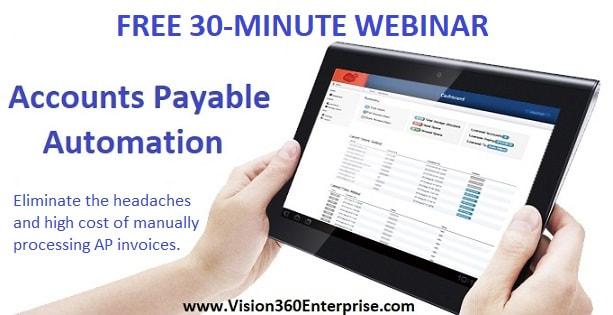
The new year is here and AP Automation will be a top priority for most CFO's, Controllers and AP Managers in 2018. If you're not sure what AP automation is all about or if you want to better prepare yourself for AP Automation then this free 30-minute webinar will be perfect for you.
Learn how to: - Completely eliminate paper invoices forever - Simplify invoice approvals for everyone - Monitor your AP process from dashboards - Automatically match PO invoices - Correctly apply GL codes to invoices - Completely eliminate manual data entry once and for all - Reduce AP process costs, increase efficiencies & save money When: Thursday January 11th, 2018 Times: 11:00 am & 2:00 pm Eastern Time Register Today!
0 Comments
A Guide to AP Automation: How to Webinar
Are you wondering if AP Automation is right for you or your department or business? Then this 30-minute, no-cost how-to webinar is perfect for you!
Learn about ways to eliminate paper, streamline the payables process, eliminate manual invoice entry, and eliminate the headaches of manually processing supplier invoices and take back control of AP! When: Thursday November 9th, 2017 Times: 11:00 am & 2:00 pm EST Where: https://www.bluecreeksoftware.com/webinars.html We'll discuss in-house, out-sourced, OCR, data capture, automated approvals, compliance, 2 & 3-way matching, touchless invoice processing, ERP integration, fraud prevention and much, much more! Learn about the success that companies like Yankee Candle, Plymouth Rock Assurance, Freudenberg, Talbots Clothing and many more have achieved with AP Automation. Register today! Space is Limited! Don't Miss Out! When: Thursday november 9th, 2017 Times: 11:00 am & 2:00 pm EST Where: https://www.bluecreeksoftware.com/webinars.html Register today and get our free e-guide, "Taking the MYSTERY Out of AP Automation". 
By now you're probably familiar at least with the term, "AP Automation" and maybe how it works. You might know someone that uses it or came from a company where AP Automation had been in place for years.
The concept of AP Automation is not new and has been around for a number of years now. This idea of automating accounts payable has and is still being adopted by companies of all shapes and sizes and in host of different types of industries. You can find AP Automation being used in industries like manufacturing and healthcare, in retail and insurance, in distribution and at pharmaceutical companies. In today's economy, it's more about process efficiencies than it is cost reductions, most often it is the case that both go hand-in-hand. If you're more efficient at what you do, your costs naturally come down. As a subset of this approach sometimes the main focus is on process the Non-PO related invoices as a first phase since these invoices are typically the most time consuming and in many cases reflect a higher percentage of the overall invoice volume. When it comes to AP Automation everyone seems to have their own idea of what AP Automation means to them. They have different ideas of ways to use AP Automation to increase efficiencies. The ideas you have may be different than the ideas that the AP Automation Vendors are recommending to you. Maybe your AP Automation Vendor is offering or recommending that you do things a certain way, or utilize their systems capabilities in a way that doesn't really provide the help you need. If you've been investigating AP Automation then you might realize by now that the costs for AP Automation can vary greatly which can make the decision making process to select the right partner or system a very confusing and complex decision. The last thing you want to do is pick the wrong system. The good news is that there are some partners out there that offer a "flexible" approach to AP Automation so that you don't feel like you're "locked-into" doing things that you're not necessarily ready for or need. Below are a few of the different looks of AP Automation GETTING RID OF ALL THE PAPER APPROACH Front-End Invoice Receipt/Capture: sometimes just getting rid of the paper invoices is all anyone wants to do. The headaches caused by all the paper can be enough to drive any AP Department crazy! Getting rid of all the paper can be accomplished a few different ways but generally involves scanning the paper invoices and capturing the emailed invoices upon receiving them. Now not all AP Automation systems are created equal so be on the lookout for a system that can receive and process the emailed invoices electronically from the email and be aware that some systems require you to print the emailed invoices and scan them in order to get them in for processing. Once the paper is gone the next step is to get invoices into the correct person's hand for review and approval. This is accomplished with workflow routing, the workflow will typically auto-route invoices to the appropriate person for review. Since this process happens electronically and systematically there is no need for paper invoices ever again! In many cases this is where many companies begin with their quest for process improvement. Although the vast majority of companies may want to get to full end-to-end automation the overall task may seem like a daunting one that may or may not ever gain internal support. GETTING RID OF ALL THE PAPER INCLUDING AUTO-MATCHING WITH ERP INTEGRATION Front-End Invoice Receipt/Data Capture with ERP Integration: many organizations not only deal with a high number of incoming supplier invoices but they are also burdened by the task of manually keying all of the invoices that need to be paid into their financial/ERP system. This process is typically prone to errors and delays due to the fact that we are relying solely on the talents of individual people to manually perform these data entry tasks. The cost of manually processing invoices is driven up significantly when factoring in the costs of manual invoice entry into the financial/ERP system. When it comes to processing supplier invoices nothing can be more time consuming than invoices that have a purchase order assigned to them. The time it takes to manually match these invoices against purchase orders and or receipts can take minutes to hours or in some cases days. With AP Automation these purchase order based invoices can be automatically matched systematically and only involve a person when an invoice doesn't match the purchase order. To take AP Automation to the next level requires the capability of extracting the details from all supplier invoices at the point of receipt. This is typically achieved through a series of tools called OCR (Optical Character Recognition), data extraction and validation and software engines. With this approach data is efficiently read, extracted, converted to useable data which can now be delivered and integrated into any third party application, financial/ERP system. AP AUTOMATION COMBINES WITH ELECTRONIC PAYMENTS TO ELIMINATE PAPER CHECKS Front-End Invoice Receipt/Data Capture with ERP Integration and Electronic Payments: to many experienced with AP Automation they will tell you that electronic payments are the "icing on the cake". just imagine not only streamlining the entire accounts payable process by automating the receipt, capture, routing, coding, matching and approving of your supplier invoices while eliminating the need for manual invoice entry into the financial system, now add on that you will actually get money back each month based on paying suppliers with a virtual credit card. This is certainly an important decision however many CFO's, CAO's and Finance Executives find that the cash back incentives offered with virtual payments is not only a savings, but a revenue producer which can help improve the overall bottom line. In conclusion there are many factors when deciding to investigate AP Automation as well as determining what service or solution is right for you. Download our white paper "Taking the MYSTERY Out of AP Automation" to further help you make sense out of all the possibilities! 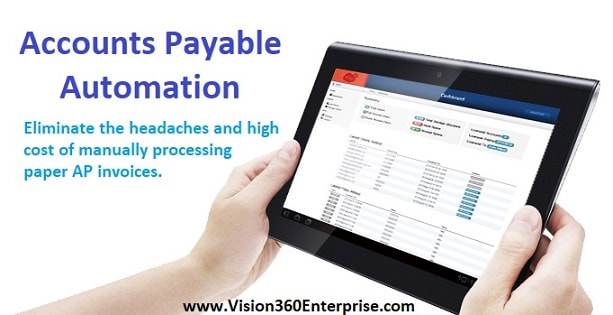
Are you wondering if AP Automation is right for you or your department or business? Then this 30-minute, no-cost webinar is perfect for you!
Learn about ways to eliminate paper, streamline the payables process, eliminate manual invoice entry, and eliminate the headaches of manually processing supplier invoices and take back control of AP! When: Thursday August 10th, 2017 Times: 11:00 am & 2:00 pm EST Where: https://www.bluecreeksoftware.com/webinars.html We'll discuss in-house, out-sourced, OCR, data capture, automated approvals, compliance, 2 & 3-way matching, touchless invoice processing, ERP integration, fraud prevention and much, much more! Learn about the success that companies like Yankee Candle, Plymouth Rock Assurance, Freudenberg, Talbots Clothing and many more have achieved with AP Automation. Register today! Space is Limited! Don't Miss Out! When: Thursday August 10th, 2017 Times: 11:00 am & 2:00 pm EST Where: https://www.bluecreeksoftware.com/webinars.html Register today and get our free e-guide, "Taking the MYSTERY Out of AP Automation". 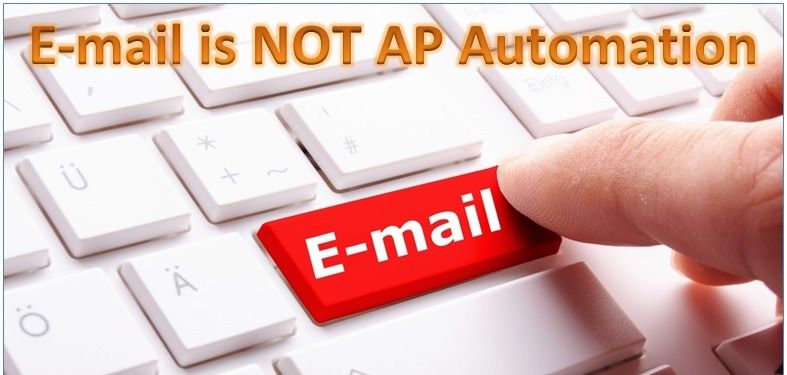
The words, "AP Automation" seem to mean different things, to different people.
Recently, I had the pleasure of speaking to a number of Accounts Payable Professionals at trade events. In discussing AP Automation with them on several occasions the reply was, "We already do that" and I thought to myself, "What is it you do?" "We already have AP Automation". When asked to describe how they're automated the answer was, "Our vendors email us the invoice electronically, so there's no more paper". I thought, "Interesting". When discussing further I asked how invoices that needed approval got approved? And how the GL coding was handled? We took the conversation a little further and I asked if invoices with PO's need to be matched and how that processed worked? And then finally how did the invoice data get entered into the financial system for payment processing? Well, it seems that all of those nice, neat, electronic invoices had to be printed to paper and the paper invoices were used to get approvals. In some cases the invoices were emailed, printed, written on, scanned, emailed back to the AP department and printed again. This process happened over and over again. When Purchase Order invoices needed to be matched 2 or 3-way, not only were the invoices printed out the AP Clerk wrote all over the invoice in pencil and ticked off every line item and made adjustments on the invoice. Lastly, in order to get the invoice details into the financial system for payment processing an AP Clerk manually entered all of the information from the paper invoice, one-at-a-time. Now, I know what you're thinking. I thought this too! Where is the automation? With true AP Automation there is little to no manual intervention, there is no printing of electronic invoices, there is no wasted time on the back and forth for approvals, invoice matching is performed systematically without the need for intervention and if an invoice doesn't pass the business rules then that invoice is automatically sent to the person responsible and lastly, there is no manual data entry when AP Automation is done correctly. By having vendors email PDF copies of invoices is certainly better than receiving paper invoices via the postal service, but think about all of the other steps that occur when invoices need to be approved and processed. This is why "EMAIL is NOT AP Automation"! Email is email. For more information about AP Automation or How to Take Your Emailed Invoices to the NEXT Level register for one of our informational webinars or contact us directly. Does This Sound Like You? We Implemented OCR for our AP Invoices and Then... This Happened!!!4/24/2017 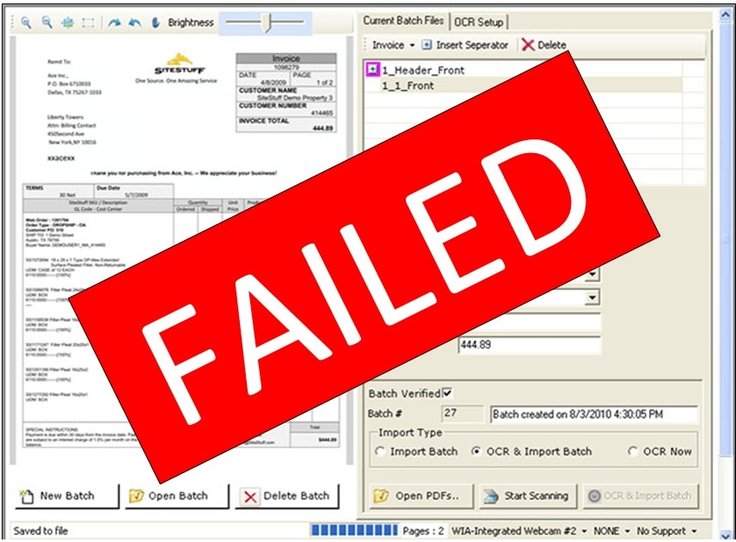
Ahhhhhhhhh... OCR or i-OCR!!! The Magic Bullet!!! The Savior to our Data Entry Challenges!!! The Magic Wand to Make All Our Data Entry Problems Go Away!!!
Or so we thought!!! OCR or i-OCR (Intelligent Optical Character Recognition) the be all, end-all for accounts payable invoice processing, scanning, data capture and workflow automation. While i-OCR has does have it's benefits ,amy companies are realizing the frustrations that come along with this magical technology. MISREADS!!! FALSE POSITIVES!!! INACCURATE OCR'D DATA!!! So you sat through OCR software vendor demonstrations, the software vendor showed you how their OCR software will magically read, interpret, OCR and extract all of the invoice data without any intervention. They probably told you that the OCR software gets S-M-A-R-T-E-R as it sees more and more of the vendors invoices. You know the old saying, "If something seems too good to be true, it probably is". Let's fast forward to today. You now realize the OCR software sales guy left out a few small but IMPORTANT details. 1. The OCR software was supposed be easy to implement, right? WRONG!!! The implementation took much, much longer than anyone ever thought and was a tremendous strain on your IT department's time and resources. 2. The OCR software wasn't supposed to use templates for each vendor's invoice, yet during setup the AP department had to provide sample invoices from every single vendor. Hmmm??? 3. The OCR software uses the "traffic light" system or Red, Yellow and Green. I'm so confused by all the "traffic light" color codes!!! The color is Green yet the data is wrong and why are so many fields in Yellow? 4. The OCR software was supposed to capture and extract the invoice data accurately, yet the OCR software seems to get things wrong (when it thinks it's right), all the time. A B is really an 8, or an 8 is really a B, and that S is really a 5 or that 5 is really an S. Let's look back at why you implemented the OCR process for your AP invoices in the first place. You wanted to:
So let's look at the final step in the OCR process, "Validation of Extracted Data". You've prepared you're paper AP invoices for scanning, you've imported your emailed invoices, imported electronic invoices and now it's time to run that magical process called "OCR". The process begins the "OCR" wheel is spinning and the magic begins!!! Ahhhhhh.... and then, red light, yellow, light green light go! The S's are 5's, the 8's are B's, the vendor name is wrong, PO numbers don't match, quantities are in yellow, invoice batches are stopped, some invoices flow through but they're wrong too!! Now someone on your AP staff has got to go through invoice-by-invoice, line-by-line, field-by-field and manually correct all of the misreads, all the reds, all of the yellows, all of the false positives! But the OCR is supposed to work like magic! Why are we so behind in processing invoices? Where did our ROI go? This story is re-told over and over again by so many companies that fell in love with the allure of OCR, with the magic is was supposed to bring. But, the results are dismal. Vision360 Enterprise's unique approach to OCR / i-OCR data capture eliminates the high-cost, frustrations and ROI lost through poor OCR results. AP invoices are captured, data extracted and the extracted data is validated without anyone on your AP staff lifting a finger or entering a single keystroke. Contact us to learn more about how our data capture process can eliminate your current data capture/data entry burden and seamlessly fit into your existing AP process, workflow automation or ERP financial system. By phone 603-437-1400 or by email: contact us for help 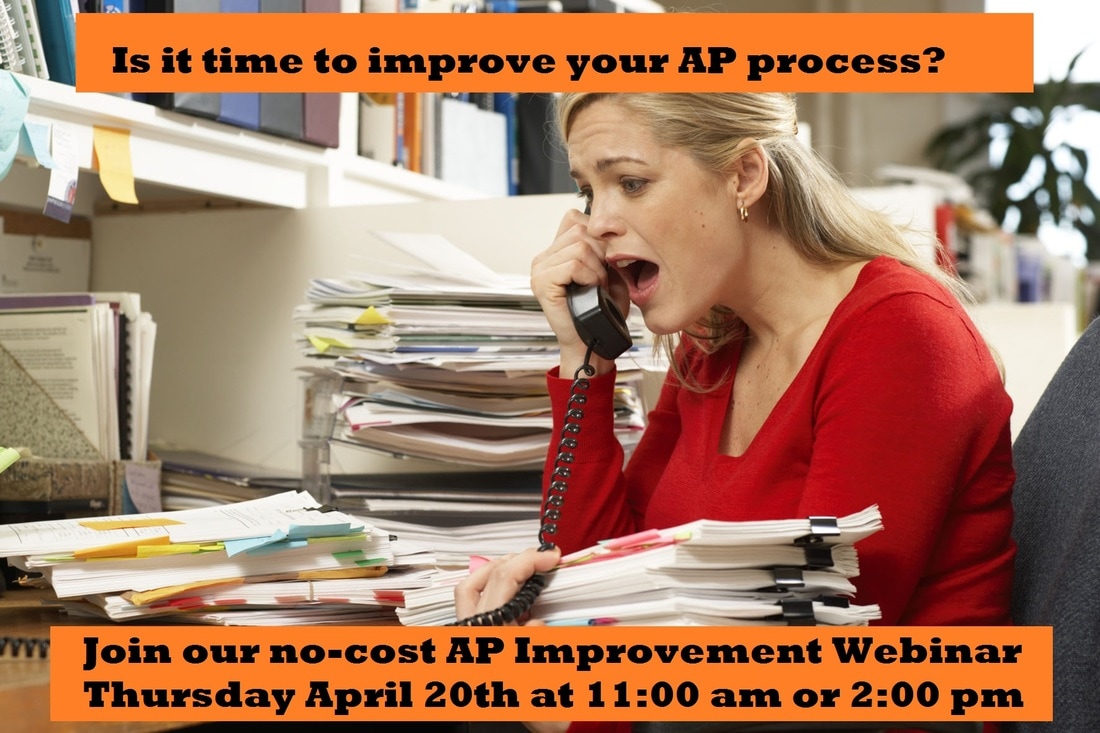
AP Process Improvement is a HOT Topic for 2017 and a lot of people are confused about where to start. To help with this we're holding a no-cost, 30-minute webinar on this subject.
Learn about ways to eliminate paper, streamline the payables process, eliminate manual invoice entry, and eliminate the headaches of manually processing supplier invoices and take back control of AP! When: Thursday April 20th, 2017 Times: 11:00 am & 2:00 pm EST Where: https://www.bluecreeksoftware.com/webinars.html We'll discuss in-house, out-sourced, OCR, data capture, automated approvals, compliance, 2 & 3-way matching, touchless invoice processing, ERP integration, fraud prevention and much, much more! Learn about the success that companies like Yankee Candle, Plymouth Rock Assurance, Freudenberg, Talbots Clothing and many more have achieved with AP Automation. Register today! Space is Limited! Don't Miss Out! When: Thursday April 20th, 2017 Times: 11:00 am & 2:00 pm EST Where: https://www.bluecreeksoftware.com/webinars.html Register today and get our free e-guide, "Taking the MYSTERY Out of AP Automation". 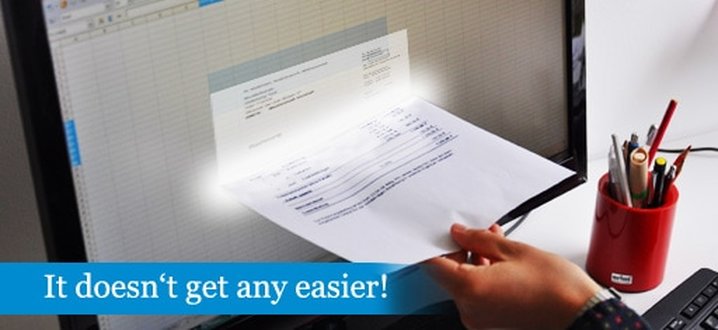
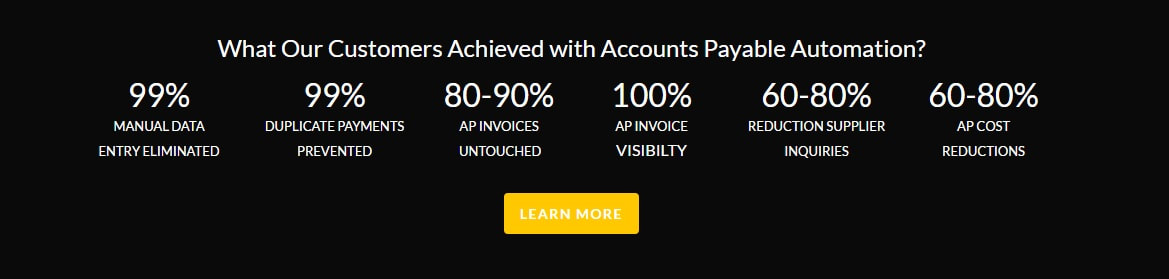
Chances are you’ve heard of “accounts payable automation”. You’ve probably seen marketing materials or even done some homework to find out what this is all about. When you hear or read about AP automation the idea sounds magical, almost too good to be true! No more paper invoices to process! No more back and forth getting invoices approved! No more manual data entry into the ERP! All with a savings between 60 to 80 percent of costs! Sounds too good to be true, right? Wrong! And here’s why.
When it comes to AP Automation there are two types of savings towards justification, “hard dollar savings” and “soft dollar savings”. Justifying AP Automation encompasses both hard and soft savings which allows business to sustain long-term continued savings as opposed to one-time short term savings. Hard Dollar Savings: relates to reducing the costs from the current cost to a new lessor amount or a change in process/technology/policy that directly reduces expenses, and process improvements. Hard dollar savings are generally easier to calculate and quantify. Soft Dollar Savings: Soft savings relate to those areas that reduce costs through less labor, more efficiency, productivity increase, usable information, better compliance, better work environment, and other related areas. These types of soft savings are generally hard to calculate and quantify because there are so many variables and activities involved. What many organizations fail to understand and do not realize or accomplish is how to continue sustainable improved cost savings through both hard and soft cost savings. According to the trade associations like, Aberdeen Group, PayStream Advisors, IOFM and many other organizations who have studied accounts payable processing over the last several years have determined a few very important facts:
The best way to identify all of the potential costs is to create a “flow” or “map” of your current accounts payable process. This will help you to think through the entire process and identify areas of concern and bottlenecks which can be identified as areas of improvement and savings. In determining your own hard and soft costs to process supplier invoices there are a few things to consider i.e. the tasks involved, how many people within the AP department that are involved in each task, the amount of time it takes to complete each task, are there any people outside of the AP department, what is their task, how much time is needed etc. Also include any monetary costs or penalties caused by tasks that are not completed on time or incorrectly, i.e., fines, penalties, late fees, overtime, temporary help, etc. Typical tasks associated with processing supplier invoices:
These steps represent tasks that are accomplished typically within the AP department and don’t extend to others outside the department so it is important to consider and calculate those costs as well and how others are impacted, the amount of time involved, costs, etc. For each task quantify the amount of time it takes, i.e. if it takes 1 person 20% of their time to open and sort the incoming invoices from the mail and they are being paid $45,000 annually then the cost to open and sort the mail is $9,000 dollars. Task # of People % of Time Salary Total Cost Open & Sort Mail 1 Person 20% $35,000 $7,000 If it takes 2 people 60% of their time to key invoices into the accounting system and they are being paid $45,000 annually, then the cost to manually enter invoices in to the accounting system is $54,000 dollars. Task # of People % of Time Salary Total Cost Manually Key Invoices 2 People 60% $35,000 $42,000 If it takes 1 person 40% of their time to file paid invoices into the paper filing system and they are being paid $35,000 annually, then the cost to manually file invoices away s $14,000 dollars. Task # of People % of Time Salary Total Cost File Paper Invoices 1 People 40% $35,000 $14,000 Without quantifying and calculating the entire accounts payable process from start to finish you can at least see that just by quantifying the three key areas of 1) opening mail and sorting invoices, 2) manually keying invoices into the accounting system and 3) filing away the paid invoices we’ve calculated an annual cost of $63,000. Once you quantify and calculate all of the costs associated with the tasks of processing supplier invoices and also take into consideration the monetary costs caused as a result of inefficient, error-prone manual processes the annual cost to process supplier invoices RISES significantly and fast. 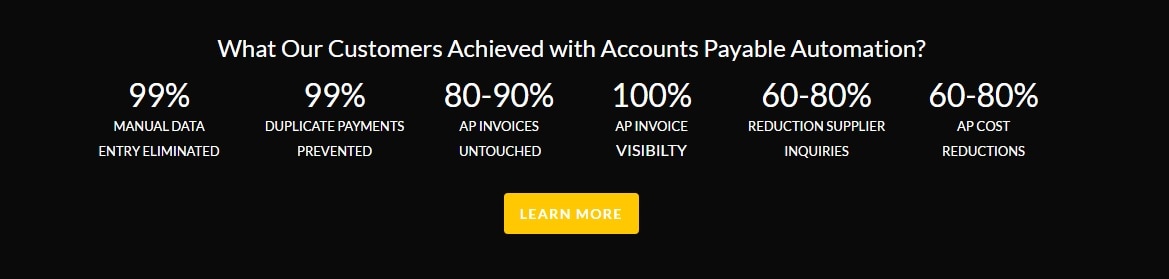
Here are 5 additional facts to help you in calculating your costs to process supplier invoices.
The ROI of Control: Though many in the AP industry feel they are giving up control by automating their AP process that just isn’t true. When you introduce these new found efficiencies into your AP department you’re not eliminating your role in the process. Rather, you are automating aspects of that process that unnecessarily consume large amounts of your time, cause errors and are simply inefficient. With AP automation, you are still in control of coding invoices, approving invoices and promoting them to the general ledger. You and your AP team will have greater visibility and insight into the entire AP process and with greater visibility means greater control. The ROI of Time: Once the immediate savings are realized and the process is automated, you might wonder, “What’s next?” After all, you just saved your AP department a lot of work. What will they do with their new time? With their new time, many companies have transformed their AP department from an expense to a profit center by pursuing higher-level tasks, such as: early vendor payments, performing more analysis, spend control, working with vendors, electronic payment incentive programs, and rebate programs. They are now generating revenue for their company. The ROI of Scalability: As captivating as the aforementioned immediate savings are, one of the greatest returns found through automation occurs years down the road. As your company grows, as invoice volumes increase, you will be able to retain the same AP staff, handle more invoice volume WITHOUT the need to add more AP staff. In a recent AP Department Benchmarks & Analysis survey conducted by the Institute of Finance & Management, only one-third of companies surveyed have implemented document capture and only 25 percent use some form of e-invoicing. This indicates that many companies are still tied up in manual paper processing. The same study notes that those companies that have implemented automation systems are twice as productive as those that haven’t. Part of the reason a surprisingly large number of companies are still manually processing their AP transactions is they are often not aware of the factors that are sucking time from staff and costing the company money. One of the more costly elements of getting an invoice paid is the waiting involved in gathering all of the necessary approvals and associated paperwork. This workflow typically runs across multiple departments and requires the attention of busy decision-makers. By automating the AP workflow, most of the waiting periods are shortened as the system simplifies, automates, and secures approvals and decisions. But saving money and by saving time is just the start of the benefits of AP automation. CFO Visibility and Margin Enhancement: Through the use of automation technology, the CFO gains a complete real-time view of the company’s financial condition. Liabilities are accrued as soon as the goods or services are received against a PO or a non-PO invoice is received; actual to budget is immediately updated, and above all, accurate cash requirements are known. In addition, this visibility allows for faster, more accurate audits, better enabling the company to meet internal control requirements. However, the greatest benefit to the organization is the contribution to maintaining margin,which is the number one goal of CFOs according to CFO magazine. AP can assist CFOs in maintaining or enhancing margins through two key programs:discount capture and spend analysis. In today’s tight markets and increased DPO many suppliers are willing to give discounts for faster payment. These discounts typically range from 1.5 to 3 percent, with 2 percent for payment within ten days being the most common. Complete visibility into the transactions gives finance managers the information needed to do a complete spend analysis by commodity or service purchased, or by vendor. In addition, this visibility helps to expose the number of duplicate records that are in the vendor file. Duplicates come about for a number of reasons: the same vendor has been added with different names (e.g., GE, General Electric, GE Capital, etc.), and different sites, or duplicates come about through mergers of companies (e.g., HP and Compaq) Visibility also reveals opportunities, such as regional offices purchasing the same merchandise from the same supplier at locally negotiated, different prices. These discoveries will often result in an overall reduction in costs of 10 percent or more. People often think discounts are available only to very largest companies, such as Wal-Mart or GE, but small businesses can benefit as well. For example, the author handles the accounting for his son’s small business. By consolidating the bulk of the direct material purchasing to a few selected vendors, the shop has reduced the cost of these purchases by more than 10 percent. Furthermore, the annual minimum expenditure required to qualify for these discounts range from only $6,000 to $20,000. To see the real benefits of this, assume a company with sales of $250 million and a profit before tax of 10 percent, or $25 million, and a cost of goods sold (“COGS”) of 45 percent of revenue. If the company’s leverage of spend analysis results in a 10 percent reduction of cost on only 50 percent of COGS, it will have added $5.6 million to the bottom line, or a profit growth of 22 percent—a number to make any CFO proud. Operating expenses can be impacted in the same fashion. However, to get the required return, the company must take care to ensure there is compliance with the buying guidelines and contracts to eliminate off-contract spend. One company thought its off-contract spent was 30 percent. Upon analysis, however, it turned out that it was 200 percent, a figure that ran into the hundreds of millions of dollars! So, visibility through automation has the potential to add much more than process cost savings to the bottom line. In Summary By centralizing AP, revising processes, introducing automation and reducing the cycle time from weeks to a few days, AP departments can give the CFO the increased productivity and information vital to meet his or her goals. Discount capture, spend analysis, and cost reduction are benefits that directly impact the margin needed by companies in this day and age, at the same time giving the C-suite the visibility and audit capabilities they need to confidently sign off on the effectiveness of financial controls and management certification of results. For more information about AP Automation and the possibilities it holds for you and your AP team, visit our website at www.bluecreeksoftware.com for more information.
Is AP Automation part of your strategy for 2017? See what can be acheived!
Confused by AP Automation? Then download our free white paper. "Taking the MYSTERY Out of AP Automation". www.bluecreeksoftware.com
At Walmart, our primary focus is the customer. In order to keep everyday low prices on shelves for our store customers, we need to make sure our suppliers are paid in an accurate and timely manner. Do you have what it takes to work in Accounts Payable?
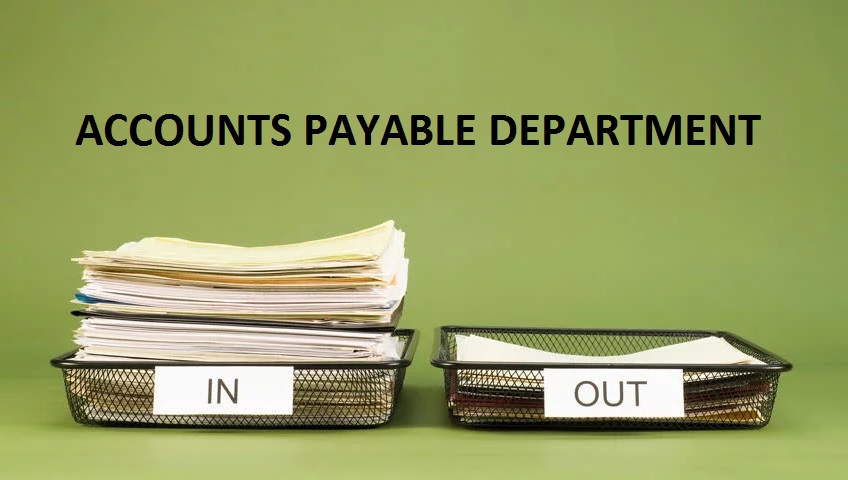
If you walk through the finance department of most any mid- or large-sized company, look for stacks of paper rising halfway to the ceiling. Then peer into a cubicle around the stacks. You’ll see a hardworking employee manually entering data into a computer, stuffing intra-office envelopes, taking phone calls from vendors, filing, punching keys on a calculator, and — when time permits — swigging coffee from an urn-sized mug for fuel to get through the day. Welcome to Accounts Payable: the final frontier for automation in Finance.
Aberdeen Group estimates that more than 80% of inbound invoices are paper. That number approaches 100% for mid-sized, non-manufacturing companies (hundreds of thousands of pieces of paper invoices annually). For years, companies were content to accept paper invoices as a fact of life. No longer. There is a movement underway toward paperless invoice processing in corporate America. However, it’s a movement filled with lurches, jerks and pauses. Paperless invoicing is the destination, but few have really arrived. Confusion is often the buzzword when it comes to the different options available for automating invoice processing. This Executive Briefing will review some of the challenges with processing inbound invoices that are driving organizations to automate as well as the types of solutions available to facilitate automation. 
Everyone wants to have a safe and happy Halloween for themselves, their guests and especially their children. Using safety tips and some common sense can help you make the most of your Halloween season, keeping it as enjoyable for your kids as it is for you! There are lots of simple ways to help keep your child safe on Halloween, when accidents and injuries are more likely to occur.
The excitement of children and adults at this time of year can sometimes make them not as careful as they would normally be. Our site is filled with suggestions that can do a lot to stop tragedies from happening and help make the most of everyone's favorite holiday of the year... Halloween! By keeping Halloween a fun, safe and happy holiday for you and your kids, you'll look forward to many happy years of Halloween fun! By keeping good memories for your kids, they'll be more likely to carry on the traditions that you have taught to them with their own families some day! Walk Safely
Originally posted in www.SafeKids.com 
Accounts payable automation or AP automation is a term used to describe the ongoing effort of many companies to streamline the business process of their accounts payable departments. The accounts payable department's main responsibility is to process and review transactions between the company and its suppliers. In other words, it is the accounts payable department's job to make sure all outstanding invoices from their suppliers are approved, processed, and paid. Processing an invoice includes recording important data from the invoice and inputting it into the company’s financial, or bookkeeping, system. After this is accomplished, the invoices must go through the company’s respective business process in order to be paid.
This process is straightforward but can become very cumbersome, especially if the company has a very large number of invoices. This problem is compounded when invoices that require processing are on paper. This can lead to lost invoices, human error during data entry, and invoice duplicates. These and other problems lead to a high cost per invoice metric. The goal of automating the accounts payable department is to streamline this invoicing process, eliminate potential human error, and lower the cost per invoice. Some of the most common AP automation solutions include scanning and workflow, online tracking, reporting capabilities, electronic invoice user interfaces, supplier networks, payment services and spend analytics for all invoices. Accounts Payable Automation can be a very useful tool for the AP department. This allows vendors to submit invoices over the internet and have those invoices automatically routed and processed. Because invoice arrival and presentation is almost immediate invoices are paid sooner; therefore, the amount of time and money it takes to process these invoices is greatly reduced. (financial Operations networks, 2008) These solutions usually involve a third-party company that provides and supports an application which allows a supplier to submit an electronic invoice to their customer for immediate routing, approval, and payment. These applications are tied to databases which archive transaction information between trading partners. (US Bank, Scott Hesse, 2010) The invoices may be submitted in a number of ways, including EDI, CSV, or XML uploads. PDF files, or online invoice templates. Because E-invoicing includes so many different technologies and entry options, it is used as an umbrella term to describe any method by which an invoice is electronically presented to a customer for payment. As companies advance into the digital era, more and more are switching to electronic invoicing services to automate their accounts payable departments. Some even believe it to be an industry standard in the near future. According to a report done by the GXS team in 2013, Europe is adopting government legislation encouraging businesses to adopt electronic invoicing practices. The United States has no such legislation yet but does recognize the value of this technology. The US treasury estimated that implementing e-invoicing across the entire federal government would reduce cost by 50% and save $450 million annually. With the increasing availability of AP Automation, businesses are driving process improvement in AP even further. By applying end-to-end process automation to their accounts payable department, organizations can accelerate invoice processing speed and accuracy while improving operational costs. Some organizations report that by implementing AP Automation they have managed to almost completely eliminate human intervention from the AP process, thus saving 65% to 75% of the time that was previously spent on manual processing. About Vision360 Enterprise and BlueCreek Software: BlueCreek Software is the developer of industry leading accounts payable automation system, Vision360 Enterprise. Vision360 Enterprise provides accounts payable automations services, systems and solutions to leading companies across the United States and Internationally. For more information about our Vision360 Enterprise accounts payable automation solutions please contact us or call (603) 437-1400. 
Let's face it not everybody is ready for AP Automation or even needs it. If you're not ready for AP Automation, that's okay! There are many things that you can start doing today to help make life easier for your accounts payable staff. Below is a list of some "AP Best Practices" that you might find helpful. Feel free to add your own best practices and helpful time saving tips below.
1. Setup an AP email address and allow suppliers to submit invoices via email. This will help cut down on the amount of paper that you will have to deal with. 2. Before paying any vendor, be sure there is a W-9 on file for them. This will save a lot of hassle at year-end when you need to prepare 1099s. 3. Ensure you have a policy about how invoice numbers are to be entered. If you have a number of clerks all using their own rules about entering invoice numbers (like what to do with leading zeros), it will be difficult to track down anything. Also, having a policy helps if there isn’t an invoice number. 4. The person entering the invoice should be different from the person approving the invoice who should be different from the person signing the check. 5. Have all invoices come to the accounts payable department first before being sent out for approval(s). This way the invoice can be logged before it enters the black hole. 6. Do not enter invoices as a batch. Each one should be entered individually in order to have an audit trail. 7. All invoices should have the account coding written on them as well as any notes about special handling. 8. The amount of the invoice should be entered as billed even if you don’t plan on paying the full amount. A credit memo can be entered and matched against the invoice later. The key is to remember the audit trail. 9. Have a new vendor welcome letter that you can send informing them of where invoices should be sent, what information you require to process their invoices (like a vendor ID number) and any forms you need completed. Vendors will appreciate the information to ensure their payments aren’t held up. 10. Watch your payables carefully to take advantage of any discounts being offered by vendors. It can add up to a nice sum by the end of the year. Although accounts payable automation is the buzzword these days many AP departments find enough time savings and efficiencies by incorporating simple, straightforward financial practices when it comes to processing supplier invoices. Feel free to add your own best practices and helpful time saving tips below. 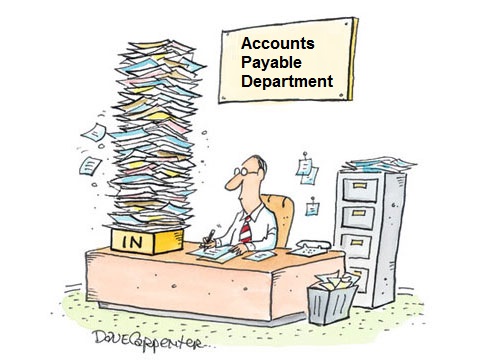
Studies show that best-in-class companies outperform other businesses by automating their invoicing processes, and other key business processes, with document imaging and workflow stems. According to Aberdeen Research’s “Invoicing and Workflow” study, businesses that automate their account payable operations reap significant advantages—including processing their invoices significantly faster and at much lower cost.
For companies that fail to automate, the study found, “Paper invoices and manual processing continue to hamper accounts payable operations, keeping suppliers in the dark and failing to give accounts payable the visibility it needs to actively manage organizations’ cash positions.” Best-in-class companies, on the other hand, overcome this impediment by pursuing “comprehensive accounts payable automation to drive continued performance improvement.” The end goal is to maximize the impact of automation on all accounts payable processes, from receipt to scanning to approval workflow through payment. How well does automation improve invoicing operations? According to Aberdeen’s research, best-in-class companies outperform their peers by a considerable margin, taking 3.8 days and a cost of $3.09 to process an invoice vs. the industry average (middle 50%) of 9.7 days and $15.61 per invoice. For the bottom 30%, it takes 20.08 days at a cost of $38.77 per invoice. Respondents who implemented document imaging and workflow automation reported 21% lower invoice processing costs than others, while also securing early payment discounts on more than twice the number of transactions. Further improvements, the study found, can be gained from integration with back-end financial and ERP systems and the use of performance-monitoring dashboards. A Surge in Workflow Deployment Aberdeen Research’s findings jive with those of PayStream Advisors’ latest “Invoice and Workflow Automation” survey, which showed that electronic invoicing and automated workflow are both experiencing increased adoption, as more companies strive to migrate from a manual paper-based invoice system to an efficient automated system.” As PayStream Advisors notes, “Skeptics may still doubt the ROI of automated approval workflow, but it is getting harder to defend that position in the face of the facts.” PayStream Advisors’ study, which surveyed 500 accounts payable professionals, showed that the top three financial automation technologies that have been most useful include eInvoicing, workflow, and front-end imaging/OCR. Electronic invoicing and automated workflow are the top automation goals for accounts payable in 2013, the study showed. The number-one benefit cited for approval workflow was the quicker approval of invoices (76 percent), while one-half were able to increase employee productivity, and nearly 60% reported lower processing costs. As PayStream Advisors notes, invoice processing can be expensive and time consuming when performed using manual processes and paper documents, while electronic invoicing and automated workflow can lower costs and speed up processing. Overall, more than one-half of companies that adopted eInvoicing solutions cited a reduction in labor or processing costs and faster approval cycles as key system benefits, as well as greater visibility into spending, improved cash management, and an increased ability to capitalize on early-payment discounts. As workflow technology becomes easier to deploy and more affordable, including software-as-a-service offerings, more businesses are able to obtain the benefits. As PayStream Advisors reported, “The market for electronic invoicing and automated workflow continues to open up as adoption trickles down from large organizations to small and medium enterprises.” About Vision360 Enterprise and BlueCreek Software: BlueCreek Software is the developer of industry leading accounts payable automation system, Vision360 Enterprise. Vision360 Enterprise provides accounts payable automations services, systems and solutions to leading companies across the United States and Internationally. For more information about our Vision360 Enterprise accounts payable automation solutions please contact us BlueCreek Software or call (603) 437-1400. 
Suppliers send their invoices directly to your online AP invoice system. Invoices are automatically routed to the correct individual for review and then on for approval. Invoices with PO's are systematically matched without anyone touching a piece of paper. Supplier invoices are auto-entered into your accounting system error-free, without lifting a finger or touching a single piece of paper.
Think about it. www.Vision360Enterprise.com 
There are a lot of misconceptions when it comes to accounts payable automation, fallacies that hold companies back from embracing new technology that could make a real difference in the cost-effectiveness and efficiency of theiraccounts payable operations. The purpose of this article is to dispel those misunderstandings and provide realistic advice you can use to get started on the path to enhanced productivity through accounts payable automation.
What’s the holdup? The current environment is rife with new advances in technology, much of which has been brought to market within the last few years. Interestingly, much of this technology is being used in and focused on the accounts payable function. No longer being relegated to a secondary position, the accounts payable process is now front and center when it comes to advances and enhancements offered to the business community. That’s great news for those looking to upgrade or enhance their current accounts payable processes. Unfortunately, there are some misconceptions that hold organizations back, keep them from taking that next all important step towards proficiency improvements. The Reality vs. The Myth What follows are some of the more common mistaken beliefs when it comes to accounts payable automation along with a discussion of the related issues. Myth # 1: Fear The Reality: It is natural to fear. The reality is that AP Automation is not an unknown, it's been proven now for many years. AP Automation is simply a much more efficient way of processing supplier invoices and should be embraced, there is no reason to fear it. Myth #2: Accounts payable automation is complicated The Reality: It’s not that complicated. Anyone currently running or working in an accounts payable operation already knows half of what they need to know, and that’s the hard part. Automation is simply a different way of handling invoices and it’s not convoluted. Myth #3: It will take a long time to implement The Reality: That might have been true five or ten years ago but the new AP automation products currently available can be implemented in a very short period of time, sometimes in as little as four to six weeks. Myth #4: AP automation is beyond our pocketbook; it will cost a fortune The Reality: This is another holdover that might have been true ten years ago but is no longer the case. There is an affordable solution for companies of all sizes, not just the giants. Looking at it from the payback standpoint, most automation projects will have paid for themselves in less than six months. Myth #5: Our processes are unique so we’d have to spend a lot of money customizing any automation product on the market The Reality: While every organization has a few idiosyncrasies that make them different from the masses, those differences are not as great as you might imagine. What’s more today’s automation products are not one-size-fits-all as in the past. Most are configurable with a number of different options. The end result is many firms are able to use the out-of-the-box solution with little or no customization. Myth #6: We’ll need to hire consultants who charge exorbitant fees to get the software up and running The Reality: AP automation products on the market today are designed to be set up and used by the business owner, not a consultant. There is no need to hire a consultant to get the project off the ground and hence, no outrageous fees. Myth #7: We'll need to let people go The Reality: While AP automation will certainly make the AP process more efficient, it will not do away with the need for an AP staff. For starters, staff will be needed to deal with discrepant invoices. Unfortunately, discrepancies caused by inaccurate invoices submitted by vendors won’t go away. What’s more, there’s a whole raft of new responsibilities coming to accounts payable and management is unlikely to add staff to handle them. By making your process more efficient through AP automation, you are in a much better position to handle them. So now that we’ve dispelled any misconceptions that you might have about the realities of AP automation, let’s take a look at some of the other benefits that might accrue to a company who takes advantage of it. A few of those include:
As you can see from this short piece, AP automation is a very realistic approach for every organization. The benefits are too numerous to ignore. Are you ready to start exploring the option of AP automation for your organization?
About Vision360 Enterprise and BlueCreek Software: BlueCreek Software is the developer of industry leading accounts payable automation system, Vision360 Enterprise. Vision360 Enterprise provides accounts payable automations services, systems and solutions to leading companies across the United States and Internationally. For more information about our Vision360 Enterprise accounts payable automation solutions please contact us www.Vision360Enterprise.com or call (603) 437-1400.
 Paper is the enemy of process efficiency and visibility. Every time you have a piece of paper somewhere floating around in a process, no one else in that process knows exactly where it is – so, suppliers call to get a payment status and you have no way of checking where the invoice is in the review and approvals process. Perhaps this means the supplier will call again, perhaps they’ll send a copy of the invoice, perhaps they’ll also call the person who ordered their product or service – either way, there is likely to be additional time wasted and increased probability of paying an invoice more than once. Paper also means the grip you have on cash flow is compromised – if you don’t know which invoices are out there because suppliers send them directly to the person who ordered, how do you know what to accrue for or what your outstanding liabilities might be? Fast Fact: Main drivers for automating business processes? Top 3 are: 1) reducing operating costs – 67% 2) reduce employee admin time – 60% 3) help the organization make revenue gains – 44% About Vision360 Enterprise and BlueCreek Software: BlueCreek Software is the developer of industry leading accounts payable automation system, Vision360 Enterprise. Vision360 Enterprise provides accounts payable automations services, systems and solutions to leading companies across the United States and Internationally. For more information about our Vision360 Enterprise accounts payable automation solutions please contact us www.Vision360Enterprise.com or call (603) 437-1400.
|
AuthorVision360 Enterprise Accounts Payable Automation Solution by BlueCreek Software reduces time wasted chasing down paper invoices by automating invoice approvals, eliminating manual data entry, eliminating paper invoices and reducing processing costs. Categories
All
Archives
September 2023
|
 RSS Feed